
Ensure power is available to the equipment
- Main hall - big red switch - ensure ON
- Projector - left hand switch directly behind projector - ensure ON
- DVD/BluRay player - double socket left hand side of A/V trolley - ensure ON
Lower projector screen
- Control behind right hand curtain (when facing stage) - press down / up button as required
Powering the projector ON and OFF
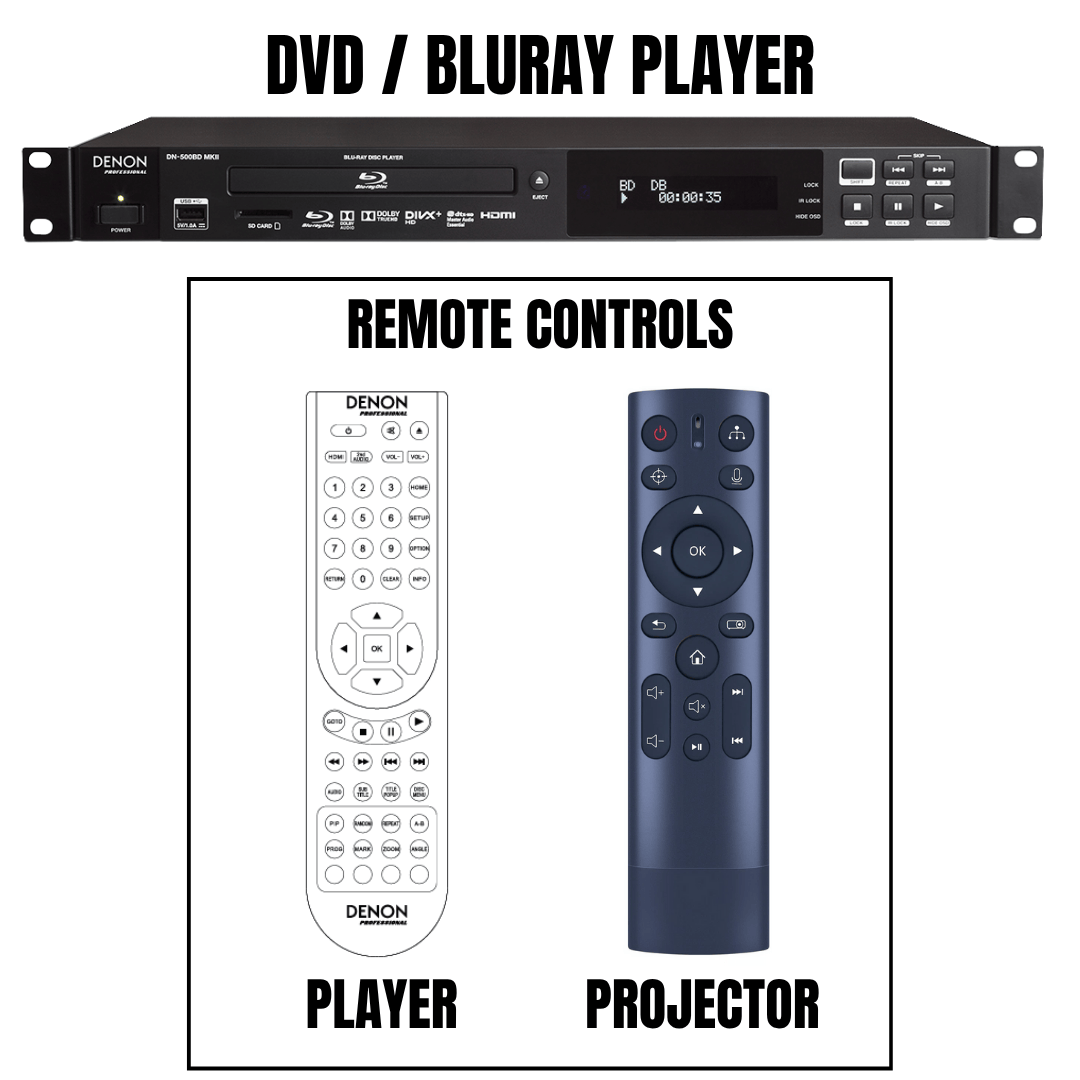
- The projector remote control is located on top of the projector - at the rear of the stage
- If the projector has not woken up point the remote (shown right) at the projector and press the RED button
- To power down the projector - press the red button once - await message on the projector screen - then press it again - the projector will shut down
- The projector remote does NOT control volume - please do not touch the volume or mute buttons
- Should the DVD/BluRay title not display - press the top right (source button) and select HDMI 1
Loading the film
- Press “on’ button on front of Denon unit - situated to the far left of the player
- Press eject - located in the middle of the player
- Load disc
- Press eject again - the disc loads
Running the film
- The player is controlled by the remote - (shown right) - which is located on top of the player
- Remember to point the remote directly at the unit - you may need to be right at the front of the stage
- It controls stop, pause, fast forward/rewind AND volume
- Volume will depend upon the title being screened and your audience but levels 6 through 8 are usually appropriate
- There is no requirement to change any other settings - please do not attempt any reconfiguration
At the end of your screening
- To power down the projector - press the red button once - await message on the projector screen - then press it again - the projector will shut down
- Raise the screen using the controls behind the right hand side curtain
- Eject your DVD/BluRay, press eject again to close the disc drawer
- Switch the double socket left hand side of A/V trolley to OFF
- Switch the projector socket to OFF